
eLearning Design Portfolio
D. Ruiz eLearning Design Portfolio

This portfolio represents an eLearning project that was created as part of the University of Washington E-learning Instructional Design certificate and is the sole design of Daniel Ruiz, Franklin High School Career-Connected Learning Coordinator and Career and Technical Education (CTE) Teacher. The information, documents, and videos shared on this website represent the ADDIE design process used in developing an eLearning module prototype for the district’s Career Connect course.
This portfolio will be shared with school and district staff Fall 2026 for approval to build a fully virtual option for the Career Connect course.
Introduction
by Daniel Ruiz
Initially, in the early stages of the ADDIE process, I developed a project proposal and storyboard for an entire unit of instruction in 21st Century Skills; however, during later stages in the process, I adjusted the scope to only focus on one module within the 21st Century Skills unit, Communication Skills. The justification: this module alone would take several hours to develop and would include enough instructional content and assessment to serve as a prototype.
Therefore, the final project you will see in the Implementation phase is an eLearning module focused on Communication skills, and it is part of a larger unit on 21st Century Skills for Workplace Readiness, the skills needed to be successful in any career. That unit is one of 6 that comprises the Career Connect course offered at Seattle Public Schools, which is the foundation for all Career and Technical Education graduation pathways.
This module is the course’s initial prototype that will be shown to the district’s CTE and eLearning Directors to gain the approval to develop a complete eLearning course. This fully online course would be available for working students who have trouble getting to school, busy students who need the course but cannot fit it into their schedule, and multilingual students who may need a more self-paced course while they are still learning English.
Design and Development (with ADDIE)
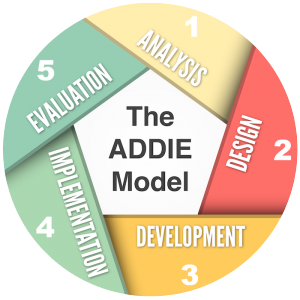
Below is a brief description of each phase in the design process and accompanying documents that provide artifacts of the module’s development. You will be able to see the refinement occurring in the process as it begins with the broader scope of a full unit of instruction and then narrows to a single module (skill) within the unit. However, the target audience does not change. The instructional content and assessment types also remain the same.
Here you will find the initial project proposal and learning personas evaluation submitted in the ELID 510: Designing E-Learning Environments course. Again, this initial proposal had a much broader scope of an entire unit on 21st Century Skills.
A. Preliminary E-Learning Design & Development Project Proposal – divided into 4 parts:
- Project Scope
- Background
- Design Approach
- Context for Implementation
Project Scope
Title: Career Connect 1 (Seattle Public Schools) eLearning Module
What is the scope of the project (lesson, module, course, program)? I will turn one unit in my Career Connect class into an eLearning module using our district’s existing Schoology learning management system. This will be the first of six modules that will eventually make up the entirety of the course so that there is a hybrid eLearning option for students to get credit for this and the Career Connect 2 course.
What will you design, which part(s) do you intend to develop? The module I will develop seems to be the most adaptable from my existing course content. This way I can use it as a model/example to get permission to take a semester away from teaching responsibilities to build these eLearning courses out for all teachers in the district who teach this course. In this unit/module, I will cover the 21st century skills essential to success in any workplace. Students will take a pre-test to determine their existing knowledge and practical application of 7 different skills. If they score high enough on the pre-test for a specific skill, then they will be able to skip that part of the module and only focus on the skills they still need to work on for mastery level (standards-based and rubric given to explain this). Students will watch video instruction, read excerpts and scenarios, view infographics, take brief quizzes, walk through a scenario interactively that uses the personalization principle, avatar with voice, and then be given a scenario where they have to use the skill to address a common workplace situation. Once students get through each skill, they will take a post-test to measure their growth.
Background
Problem Statement/Identified Performance Gap: Students need eLearning options to complete Career and Technical Education coursework. The argument in the past has been that eLearning is not appropriate for CTE courses because they require hands-on learning opportunities to mimic the workplace context that the skills/trade will be used in. However, there is an urgent need to at least provide a hybrid option where students can do much of the coursework via eLearning and then spend maybe one day out of the week in person putting their practical knowledge and understanding into practice. In Seattle Public Schools, specifically on the South End, we receive many immigrant and refugee students with various levels of English-language learning all throughout the year, making it challenging for them to complete my courses with measurable college and career readiness, either because they came in to the school so late or their English language level makes it challenging to learn these critical concepts outside of their home language. We also have students who need this course to complete a graduation pathway but do not have time in their schedule as they are catching up with required core courses (due to pauses in learning or different learning requirements in their previous institutions). Finally, because so many of my students have family and work expectations, it is sometimes challenging for them to be in class all the time, and they often miss entire units of learning. I want to be able to employ eLearning options, that are easily translatable into a student’s home language, to support each of these types of learners gaining the full benefit of my courses.
Project Objectives (strategic/organizational): For this particular module – employers frequently speak of skills gaps in 7 specifics soft/21st century skills among new employees: communication planning, problem solving, creativity, conflict resolution, leadership, adaptability, and initiative. This unit, which can easily be translated into any language, helps students master those skills in a learning environment that removes barriers. This method also helps those students apply skills in virtual working environments that will benefit them long-term since remote/hybrid work options are becoming more commonplace. The overall goal for this unit: (a) master all seven 21st century skills to analyze, plan, and respond to complex scenarios that they will likely face in the workplace; (b) demonstrate the ability to choose and justify which skills are most useful in accomplishing specific tasks or challenges (c) reflect on how these skills apply to future academic, workplace, and real life contexts based on their own personal career/vocational goals.
Target Audience: Multilingual learners needing a context to take the course primarily in their home language; students with frequent absences due to work and family obligations and/or those who are credit deficient and are unable to fit this course into their schedule but need it to complete a CTE pathway to graduate.
Learning Objectives (participant):
By the end of this unit, students will be able to:
A. Communication Planning
- Define communication planning and describe its role in effective information exchange.
- Identify audience, purpose, message, and medium when preparing communication.
- Apply communication planning strategies to craft a clear, targeted message in a given scenario.
- Evaluate the effectiveness of communication plans and suggest improvements.
B. Problem Solving
- Explain the steps of a structured problem‑solving process.
- Analyze real‑world scenarios to determine root causes of a problem.
- Generate and compare possible solutions using evidence and reasoning.
- Implement a solution strategy within a scenario‑based assessment.
C. Creativity
- Define creativity and differentiate between divergent and convergent thinking.
- Use brainstorming and ideation techniques to generate multiple innovative ideas.
- Apply creative approaches to propose unique solutions within scenario tasks.
- Justify creative choices and explain their value in solving complex challenges.
D. Conflict Resolution
- Explain common sources of conflict and the principles of healthy resolution.
- Demonstrate the use of active listening, empathy, and negotiation techniques.
- Select and apply appropriate conflict‑resolution strategies within scenario‑based team interactions.
- Evaluate outcomes of conflict‑resolution approaches for fairness and effectiveness.
E. Leadership
- Define leadership and distinguish between leadership styles.
- Identify behaviors and skills that contribute to effective leadership.
- Practice leadership strategies (delegation, motivation, decision‑making) in simulated team tasks.
- Reflect on their leadership choices and assess their impact on group outcomes.
F. Adaptability
- Define adaptability and its importance in dynamic work and learning environments.
- Demonstrate flexibility when presented with new information, setbacks, or unexpected changes.
- Modify approaches in a scenario‑based task in response to shifting conditions.
- Explain how adaptability supports personal and professional success.
G. Initiative
- Explain the concept of initiative and its role in self‑directed learning and work.
- Identify opportunities to take proactive action without external prompting.
- Demonstrate initiative by independently planning steps and seeking needed resources.
- Evaluate the effectiveness of their actions and identify ways to further strengthen initiative.
Outcomes Assessment (measurement of strategic and learning objectives): Pre-test, knowledge check quizzes, discussion board responses to reading, video/written replies to specific scenarios, mini-projects/activities that put skill to test, post-test
Design Approach
Format: Schoology learning management system eLearning module that is already part of the Seattle Public Schools collection of software (similar to Canvas)
Explanation of Format Choice: Since students already use the Schoology learning management system in many of their classes to gain access to slide decks and other lesson reviews, obtain assignment guidelines, download make-up work, complete assignment submissions, and participate in discussion boards, they are already quite familiar with the form, function, and many of the learning tools embedded.
Flow/Sequence of Lesson/Module/Course/Program:
After they get through each folder that the pretest results requires, they take a post-test to demonstrate their growth.
Technologies/Approaches: video recordings of direct instruction with visual aid, readings, discussion boards, quizzes, scenarios, mini-projects submitted for feedback.
Acquisition of Learner Needs/Interest Information: Pre-test will determine which of the skills they need deeper learning in; quiz results will check their understanding; my reply to discussion boards (and peer responses) will give them additional context and explanation (or things to consider); and my feedback from each mini-project/activity will validate their mastery of the skill. Post-test will confirm retention.
Team: Students will be responsible for self-paced work. Instructor is responsible for reviewing submissions and providing feedback. One day per week will be expected to meet with instructor for check-in and discussion of performance thus far.
Context for Implementation
Context (where, when, how): Once the module is complete, it will be offered to students currently taking my class in person to test out how well it works as entirely eLearning implemented. Then, I will use this completed module as example of how an entire course could look and seek approval to continue building out the course. Once that is approved and completed, students will be able to take the course in a hybrid format: 80% of the learning on their own time and 20% from scheduled in-person meetings that fit their personal/school schedule.
Approval/Organizational Buy-In: Approval has already been given to use this certificate program to develop one of six modules/units needed to complete the course. I will need to demonstrate course efficacy and standards alignment from a test group of students and then make adjustments before pitching it as an entire course with the successful module as example of 1/6th of the course. Then, I would need a semester sabbatical from teaching to fully develop this and Career Connect 2 coursework, which would then be offered to Career Connect teachers across the district.
Time/Budget Constraints: For this module, I am using my own personal time (which I am also getting clock hours for that will increase my salary). I plan to have it completed by the end of the summer to be preliminary approved by the district CTE director. I will then get students in my Fall 2026 Career Connect 1 class to test it out. I will spend PD/extra time adapting it before presenting Spring 2027, asking for Fall 2027 to take time from teaching to develop so that it can be tested Spring 2028 for full roll out Fall 2028 as an eLearning hybrid course offered throughout the district high schools.
Resources Needed/Available: Already have Schoology. Will need to be able to make videos. Will use Microsoft Forms for testing features and then CoPilot AI to assist with developing scenarios.
Relevant Organizational Considerations: The eLearning must ultimately meet all of the course’s benchmarks and standards with the in-person portion providing the hands-on learning needed for it to qualify as a CTE course.
Technical Support Expectations/Plan: District IT, existing eLearning PD on Schoology learning management, Technology leader teachers at my school who have extensive Schoology training.
B. Learning Personas – a process used to understand who will be the chief users of this proposed eLearning course

Here you will find the initial storyboarding, Savvy Start feedback report, and revised Storyboard submitted in the ELID 510: Designing E-Learning Environments course. This gives you an indication of how I used feedback from my Career Connect district teacher peers and my own self-assessment to refine the initial design of this eLearning prototype.
After taking the Developing & Managing eLearning and eLearning Assessment & Evaluation courses, I decided to narrow my scope for the practicum project to include only the Communication Skills unit.

Project Work Plan – This was the plan submitted at the beginning of the Practicum Course that outlined my process for the module’s development in the Schoology Learning Management System, the only instructional delivery tool licensed to Seattle Public School teachers to deploy course instructional materials, assignments, assessments, and other resources and learning supplements/activities.
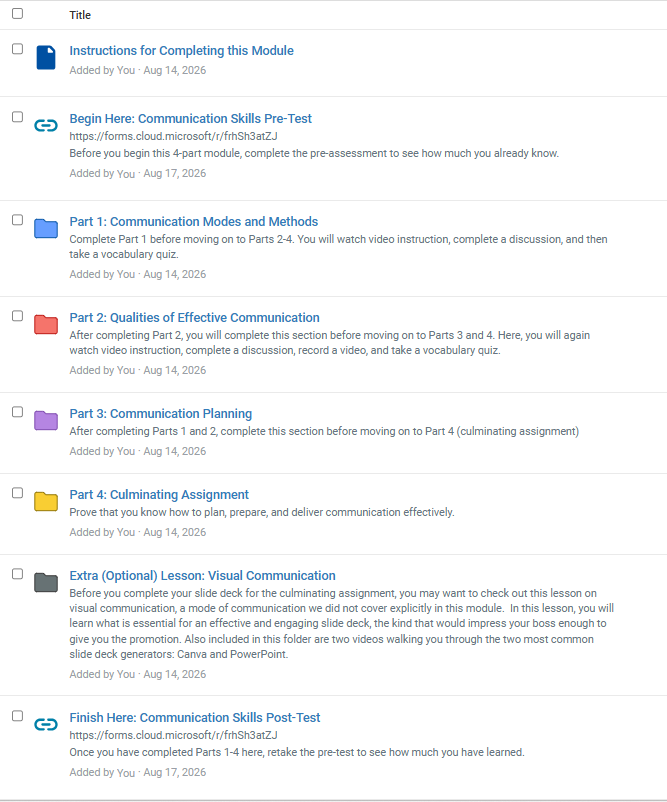
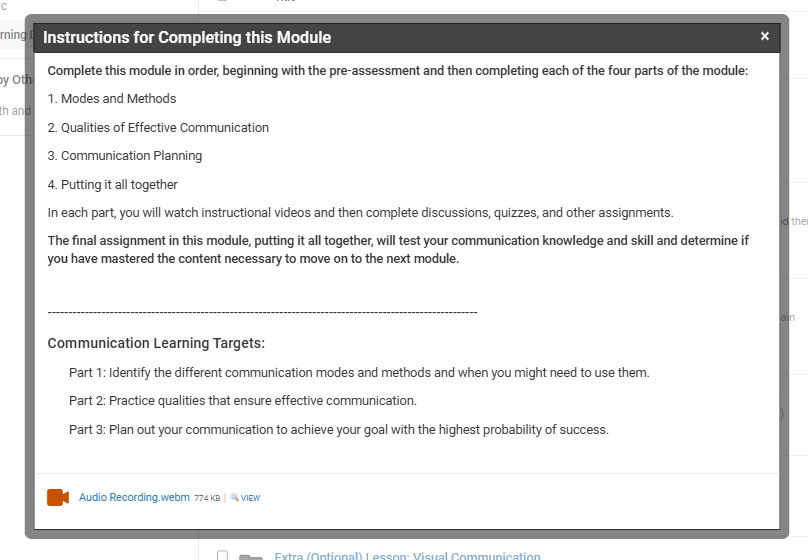
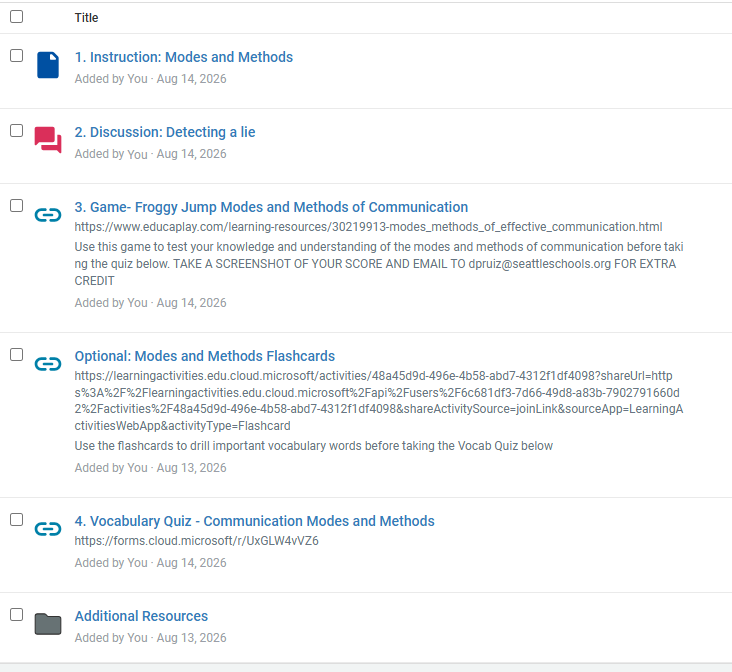
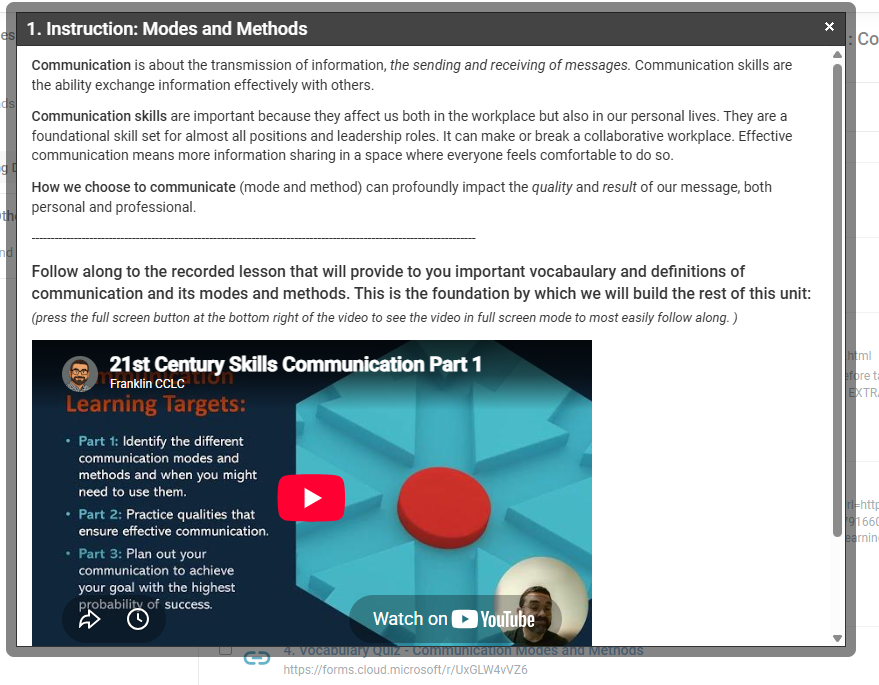
Since only district staff and students assigned to the course are able to see the module’s contents in the Schoology LMS, below are two different versions of a video-recorded walk-thru where you can see the learning objectives, instructional content, accommodations, games, discussion boards, quizzes, and summative assessments I developed for this module.
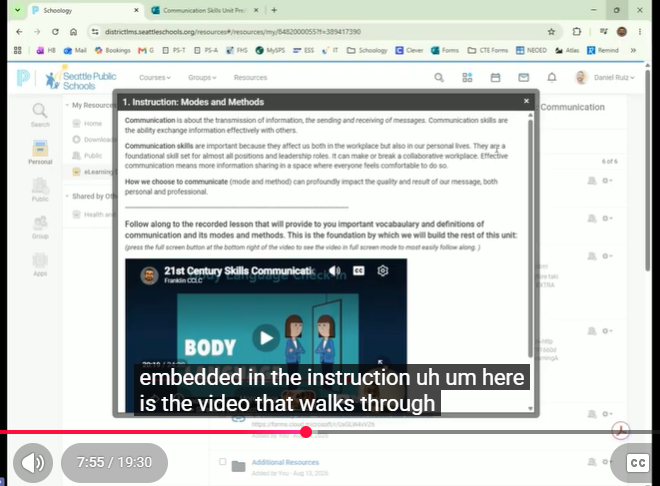
20-minute detailed walk-thru – an in-depth review of the eLearning module’s entire content.
5-minute overview – a shorter walk-thru giving you a higher level view of the module’s content if you do not have time to view the longer video.
Additionally, here are the video recordings of the instructional content for each part of the module:
- Part 1 Communication Modes and Methods
- Part 2 Qualities of Effective Communication
- Part 3 Communication Planning
Image Gallery
Below is a sliding gallery with captions that detail which part of the module is featured in the image. These images do not include the assessments that you are able to see publicly in the next ADDIE section, Evaluation.
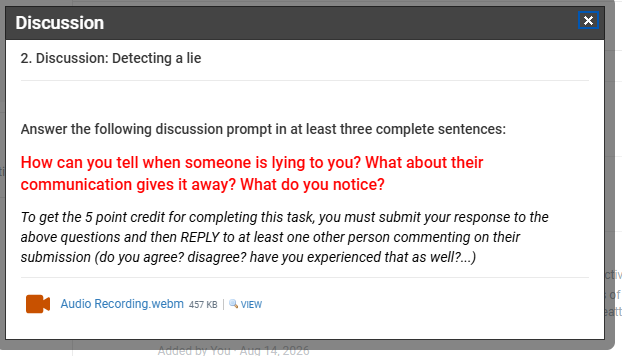
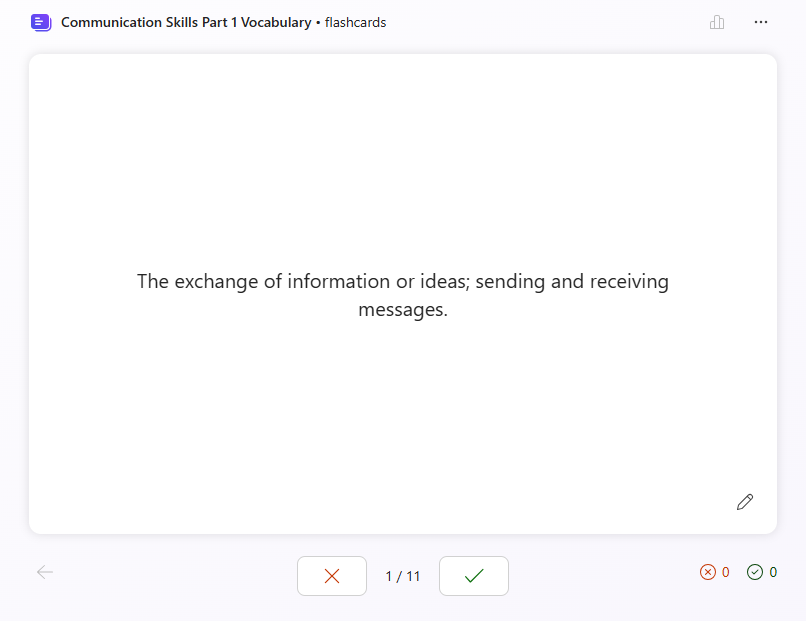
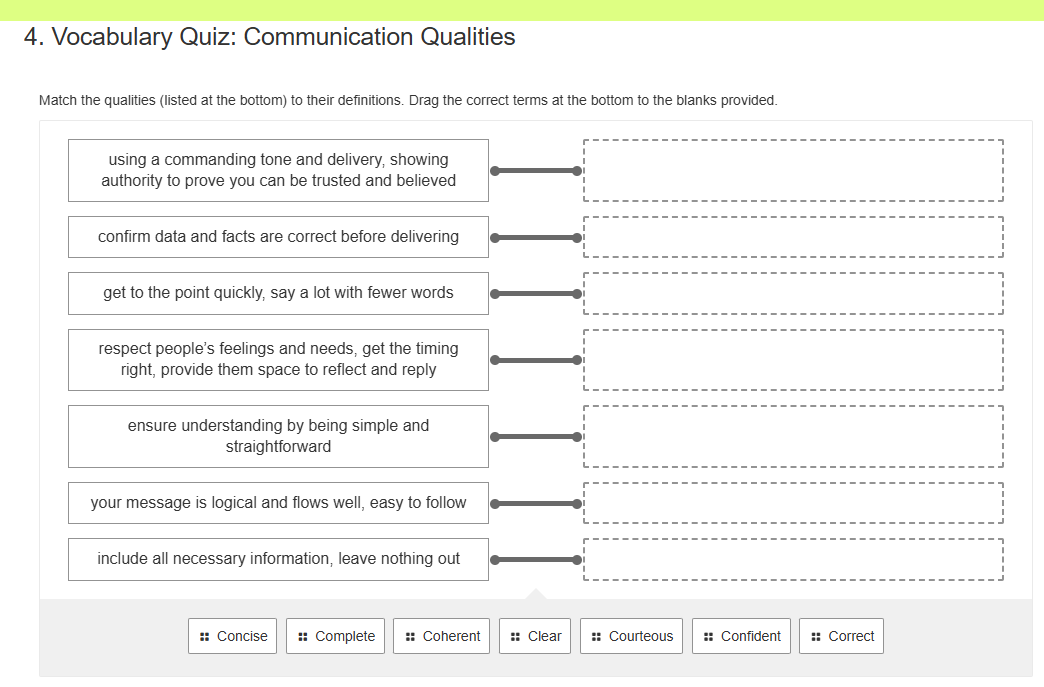
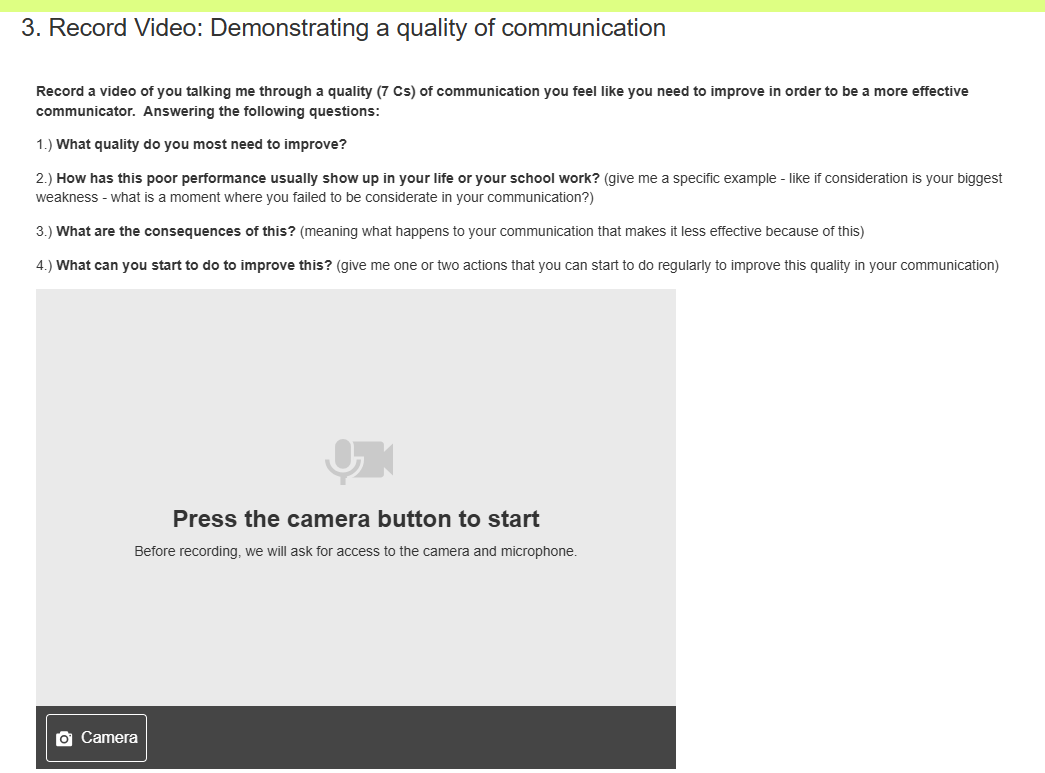
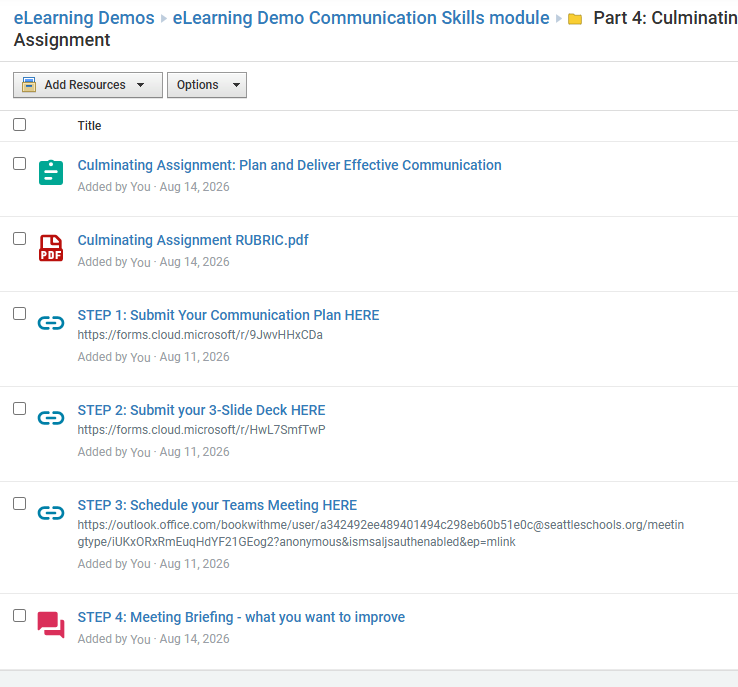
The following is the assessment plan submitted for the ELID 530: E-Learning Assessment And Evaluation course to document how student learning will be assessed and how the module’s effectiveness will be evaluated:
Kirkpatrick Levels Considered:
Level 1 Reaction – do students engage with supplemental games, flashcards, and optional lesson (tracked by Schoology); students complete a survey of their experiences at the end of the unit for next course iteration.
Level 2 Learning – Pre-Test/Post-Test measures change in learning from start to finish; formative assessments include quizzes, discussion boards, and video recordings
Level 3 Behavior – summative assessment is a rubric-based presentation that requires students to combine all of their learning in a live demonstration via Microsoft Teams meeting; demo proves content mastery of communication modes and methods, qualities of effective communication, and communication planning, using a real-world application scenario.
Level 4 Results – students demonstrate effective communication skills in subsequent assignments and projects in the course; industry partners indicate growth in communication skills of students in internships and entry-level employment.
Module Public Links
While you cannot see the Schoology LMS platform(outside of the video walk-thru’s provided in the previous section), here are some of the module’s learning tools and assessments that are available for public viewing:
- Summative Assessment Rubric – how their live communication is evaluated
- Pre-Test / Post-Test – tool used to determine validity and reliability of course content
- Part 1 – Communication Modes and Methods Game – this is a fun activity where students test their knowledge and understanding to help a frog make its way home
- Part 1 – Communication Modes and Methods Quiz – formative assessment used to check for student understanding uses of communication modes and methods and key vocabulary
- Part 3 – Communication Planning Scenario – formative assessment used to check students’ practical application of the communication planning process.
- Summative Assessment Communication Plan – what students must complete before scheduling their appointment with me and completing their slide deck
- Microsoft Bookings Scheduler – how students schedule a live Microsoft Teams meeting with me to present their communication live
Evaluation Questions:
The following is a set of evaluation questions that will be asked of students who complete the initial pilot module. The feedback will be used to modify course content and scope in the next iteration.
Likert Scale Questions
Scale: 1 = Strongly Disagree, 2 = Disagree, 3 = Neutral, 4 = Agree, 5 = Strongly Agree
- I can identify different communication methods (such as oral, written, and non-verbal communication) and choose the most appropriate method for a given situation.
- The activities in this course (discussion boards, quizzes, videos, communication planning exercises, and presentation assignments) helped me improve my communication skills.
- I feel more confident using the 7 C’s of Effective Communication (Concise, Complete, Coherent, Clear, Courteous, Confident, and Correct) in school, work, or personal situations.
- After completing this course, I feel better prepared to communicate professionally in future workplace settings.
Open-Ended Questions
- Which activity or assignment (discussion boards, quizzes, communication planning scenarios, video recordings, slide deck presentation, or Teams presentation) contributed most to your learning, and how could the course be improved for future students?
- What is the most important communication skill or concept you learned in this course, and why was it meaningful to you?
- Describe a situation where you have already used, or plan to use, something you learned in this course (such as selecting a communication method, using body language effectively, applying the 7 C’s, or planning communication around an audience and goal).
Additional Resources
Below are just a few of the assignments which show my analytical and operations skills when it comes to eLearning Instructional Design:
- Case Study Analysis – here is an in-depth analysis of an IHC New Zealand National Coaching Program’s eLearning course as it applies to Kirkpatrick’s Four Levels of Evaluation.
- Project Charter – here is a Project Charter developed for the ELD 520 Developing and Managing eLearning course that demonstrates my project and communication management skills
- Cluelabs Storyboard – here is a storyboard developed using the Cluelabs app that details a digital citizenship video developed for the Career Connect course